Get the My Vodafone App
We’re excited to introduce the new My Vodafone App, built to give you more control and convenience. With a simpler design and powerful new features, managing your mobile plans is now faster and easier.
Key New Features
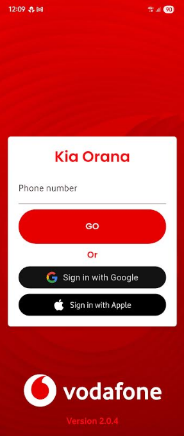
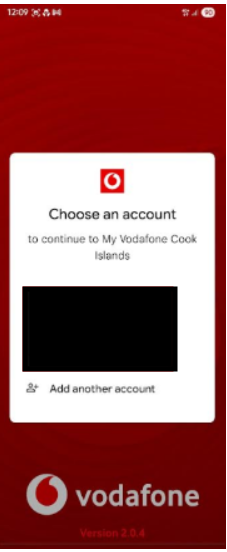
1. Easy Sign-In
Log in instantly using your Google account or Apple ID.
This also makes linking cards for in-app purchases faster and more secure.
2. Manage Multiple Numbers in One Account
No more logging in and out.
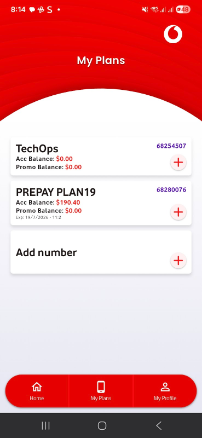
- Manage multiple Vodafone numbers and plans from one account
- Perfect for families or users with prepay and postpay lines
- View plans, check balances, and update settings all in one place
3. Extra Security with PIN Management
You’re in control.
- Set, change, or disable your personal PIN
- PIN is required for important actions, adding an extra layer of protection
What You Can Do in the App
- View My Plans: Check active plans, usage, and account status
- Buy Bundles & Promos: Purchase bundles directly from your plan dashboard
- Easy Registration: Download the app and follow simple on-screen steps for Android and iOS (verification code is not case-sensitive)
These updates make managing your Vodafone services easier and more enjoyable.
Download or update the My Vodafone App today!
How to Register?
Step1 : Download the My Vodafone App
Android Users: Download here
IOS/Apple Users: Download here
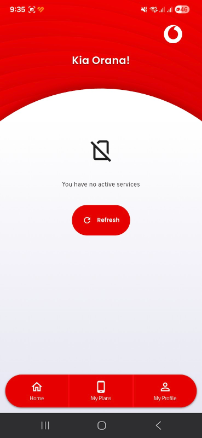
Step 2 : Setup and register your account.
|
|
|
|
|
|
|
|
|
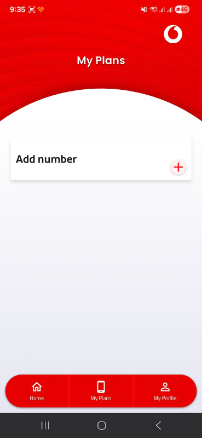
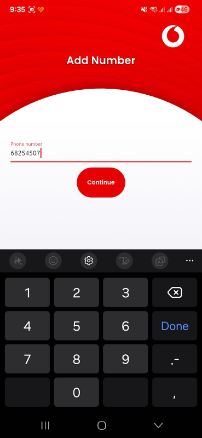
You can add your Mobile number here. |
|
|
|
|
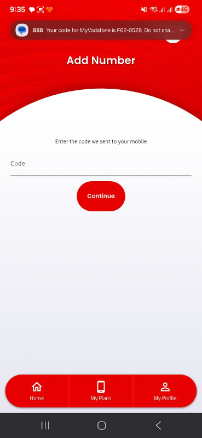
NOTE: The code isn’t case-sensitive, so you don’t need to use all caps. |
|
|
|
|
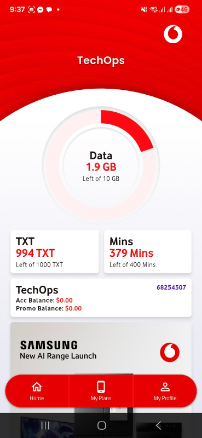
Data: Shows your current data usage TXT: Shows your remaining text messages Mins: Shows your remaining call minutes |
|
|
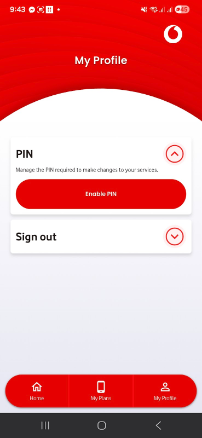
PIN Management Select the "My Profile" menu item. Then tap the PIN menu item > "Enable PIN" |
|
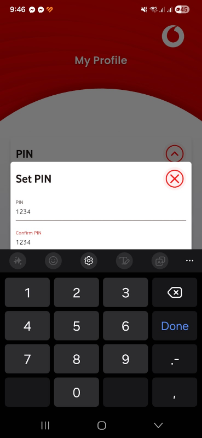
Set PIN Insert your pin and tap Done to continue |
|
|
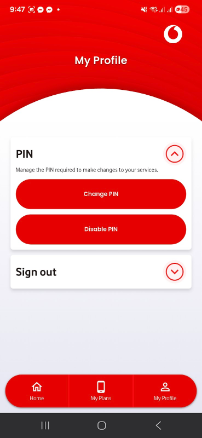
Once PIN is set, you can change it or disable it. |
|
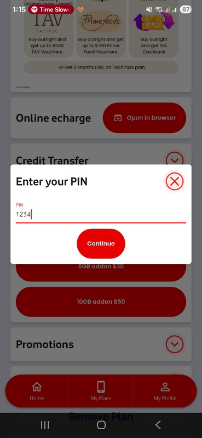
Purchase Promo As a security measure, you will be asked to enter your PIN for all actions on your plan, unless you choose to disable it. |
|
|
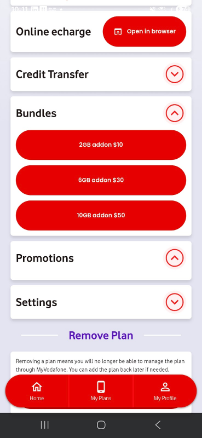
Bundle & Promo Purchase From your Plan dashboard, scroll to Bundles or Promotions tabs Bundles: Prepay plans or data add-ons (Postpay) available to purchase. Promotions: Special bundles available for a limited time. You can now recharge online directly in the app. |
|
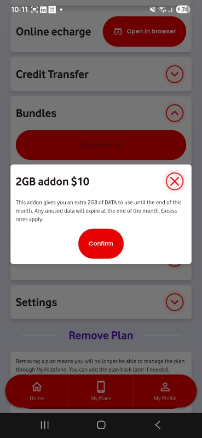
Once Selecting a bundle or promo you get the same confirmation prompt information as the previous app.
Confirm and your bundle/promo will be processed |